Posts

Showing posts with the label computer

Install C++ compiler in visual studio code
Image
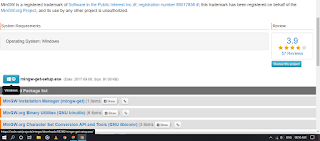
Hi,  this is Bigsan.  In this article, I will tell you how you can install a C++ compiler in visual studio code.   Microsoft Visual studio code does not come with an in-build compiler. you have to download an external compiler to compile your pc. So, in this article, I will tell you how to install it on your pc. Read the article till the end. It will take hardly ten to fifteen minutes. I have written simple steps to install the compiler of C++. I have also given some screenshots show that it will help you to easily install it. Steps to install it on your pc: 1. Go to any browser on your pc and search for MinGW. You will find this website : https://osdn.net/projects/mingw/releases/ 2. Download MinGW from this website in then install it. While installing simply click next. It will download some packages. Wait till the downloading completes.  After that a screen will appear. In that screen, click on mingw32 base bin and then click on mark for installation. Similarly, cl...

How to setup Bluestacks 5

Image
How to setup Bluestacks 5 Hi,  I am Bigsan. In this article I am going to guide you through the complete downloading and installation process of the latest updated emulator named Blustacks 5. Well,  it is the last update of blustacks and this update is a very useful one.  In Blustacks 5 you will be able to experience faster speed than bluestacks 4. Also,  bluestacks 5 uses less RAM than bluestacks 4. This version was released in the last part of may 2021. Now,  lets us start discussing about the complete process to install it on your pc.  First of all go to  bluestacks 5 . After that click on the download button. It will download a file around 2mb. Now double click on the setup file with you have recently downloaded.  After that click on install. This setup will download 500mb file. So,  make sure that you have a internet connection.  When the download will be completed it will automatically install it.  Now, open Bluestacks 5. Clic...

Download IMD full version (Full Tutorial)

Image
Download and install  IMD full version( Full tutorial) Hi, this is Bigsan.  In this article, I will tell you how you can download IMD download manager crack. Well,  it is very easy. I will tell you a website where you can download IMD crack. You can also download many other software cracks. What is IMD download manager?  IMD download manager is a software to download files from the internet. It is a very useful software because its download speed is very high. You can try this software for 30 days. But,  after 30 days your trial period will be over and you have to purchase the software. There is a solution to this problem too. You can download the crack of this software and use it for a lifetime. How to download the crack?  1. Go to getintopc.com and search for Internet download manager.  2. Click on the first software and scroll down till you find the download button. 3. Click on download and then the software will be downloaded.  How to install...

How to make the mod of any apk?

Image
Hi there,  this is Bigsan. In this article, I am going to tell you how you can make the mod of any apk. It is a very easy process and you don't need any coding skills. For this tutorial, I  going to use the Kinemaster video editor.  Video editing software is very often used by us. It is used for editing youtube videos, creating a presentation, and for various other purposes.  In this article, I will tell you how you can hack kinemaster very easily.  What is Kinemaster? Kinemaster is a very useful video editing app for android.  It is one of the top video editing software for mobile. It has two versions free version and a premium version. Of course, in the free version, the features are limited. The limited features are it has a watermark,  you cannot download premium transitions, you can't export video to high quality, etc. But,  in the premium version, you can do all these things.  You have to purchase the premium version. But,  I will ...

Top Football games for pc

Image
Hi there, this is Bigsan. In this article I am going to be telling about the top football games for your pc. All these games are paid games and you have to pay money to get the lisence code. But, in some websites the crack version is also available. 1. Fifa 2021. Fifa 2021 is the latest game of football. It is developed by EA sports conpany. Fifa stands for International federation of football association. You cam find all the football players in this game that plays in Fifa world Cup. Some of the popular players are Ronaldo, Messi. This game is going to be the best football game. You need to have a very high end pc to play this game.  The size of this game is high. It was released on 9 October 2020 an in platforms such as Xbox, ps4, ps5 etc. The system requirements of this game is listed below. The minimum system requirements for you to run FIFA 21 on PC are a  64-bit processor and Windows 7/8.1/10 64-Bit OS , either Athlon X4 880K @4GHz or better processor or Intel Core i3-6...

Best software to control your pc through voice command

Image
Best software to control your pc through voice command Hi there, My name is bigsan. I am going to tell you about the best software which will help you to control your pc through your microphone. It is the time of Artificial Intelligence (AI). People are taking the help of AI to control various things. Nowadays there are many AI devices like amazon echo, google home, etc available in the market. You can connect your hi-tech bulbs, fans to these devices. As a result, you can control them through amazon echo, google home, etc by your voice.   You can control your mobile through google assistance. Like this, you can also control your pc through voice. You can take the help of Cortana to check your emails etc. Now, let us come to the topic. The best software to control your pc through voice is Mark ll. I will also tell you how you can download the software. But, before that let's see what is mark 2. What is mark 2? Mark 2 is an artificial intelligence software developed by mega voi...

How to remove the vocals from any song 100%

Image
In this article, I am going to tell you how you can remove the vocals from any song. The vocals will be removed in seconds. I am going to use software to remove the vocals. The name of the software is Izotope RX audio editor pro. So, read the article till the end. What is izotope RX audio editor?  Izotope RX audio editor is a highly useful audio editor. it has many effects which are enough to compose a song. the effects are very useful. It is highly used for improving audio and for applying various effects. It can be also used for removing vocals from any song. Steps to remove the vocals from any song: Step 1: Download the software from this link ( Download Izotope ) Step 2: The next step is to install it on your pc. Extract the Zip file and then install it. After installing open the software. Step 3: After that import the song which you want to remove. Step 4: Click on Music Rebalance. a pop-up will open. Step5: After that set the vocal in 0. Also, select the quality. Step 6: Then...

How to add image carousel to any blogger website?

Image
How to add image carousel to any blogger website? In this article, I am going to tell you how you can add an image carousel to any blogger website. This process is very easy. So, just follow the steps I have told below and you can add them to your website. First of all, there is no option in blogger to add an image carousel. You have to use another trick to add the image carousel to your website.  What is an image carousel? An image carousel is a type of rotating banners of the slideshow. You can add up to 5 images and it can also consist of text. The images in the carousel can also repeat in intervals. Steps to add carousel to your blogger website: 1 . I will use the bootstrap framework to add a carousel to your website. First, add this CSS and javascript to your blogger website. Just head to your blogger dashboard then click on a theme. You must also keep a backup of the theme. After clicking theme, click the three dots then click on edit HTML. Copy the CSS and js script from dow...

Best software to boost gaming performance

Image
Best software to boost gaming performance Through this article, I am going to tell you about the best software which will enhance your gaming and editing speed. The name of the software is Razor cortex. It is very useful software . What is Razor Cortex? The razor cortex is free-to-use software that can enhance your gaming experience very much. It can also boost your pc overall performance. It is highly useful software. What does it do? 1.Razor cortex activates all the CPU cores in your CPU. 2. It clears the unneeded ram in your pc and reduces Cpu sleeping time. 3. It also clears all the unnecessary processes running on your system. 4. Razor cortex also does many other enhancements.               All these things are enough to improve your gaming speed. How to install on your pc? 1. Download the software from the official website of Razor Cortex. It is free software so you don't need to download the crack version of it. 2. The next thing you need ...

How to make linering potions in minecraft 1.16

Image
What is linering potion ? Linering potion is potion which increases the time of potion into 1 hour.It is very useful and it helps us to make potions than ends in longer time.Linering potion is used to work for long time.For example you can make linering potion of fire resistance to work in lava and linering potion of water breathing to work in water. Materials needed :- 1 dragon breath 1 splash potion 1 brewing stand To make linering potions first we have to follow the steps :- 1.We have to find a end portal and activate it and go to end. 2.The ender dragon will throw a purple gas in you and you have to fill the gas in glass bottles. 3.You have to make splash potions of any effect. 4.Put the dragonbreath and splash potions in the brewing stand like the picture. 5.Then you have a linering potion . First the potion effect is for 8 minutes after it was maked linering potion it effect is for 1 hour.

Top 3 Multiplayer games for mobile in 2021

Image
In this article, am going to tell you about 3 games that you can play with your friends on one mobile. 1.Minecraft In This Game, you can play 2 modes single-player and multiplayer. Singleplayer:- First, you have to collect wood. Then you have to press E to open inventory.  Then you have to make a crafting table then make things like a sword, pickaxe, an axshovel, etc. Then you can find a village and make big houses, animal farms, food farms XP farms, etc. Multiplayer:- In multiplayer you can play in servers. To Play first click on add server. then name that server. then input server address there are some servers given to play - (techno game server) play. network.in (World top server) You Can play games like bedwars,skywars, etc. In wars we have a bed we have to defend it from other player teams and we have to destroy other player beds. mc.hypixel.net 2.Stickman Party It is played by over 50m+ people. It is a very interesting game. It contains more than 20+ mini-games. I will tell ...

Top CPU to buy in 2021- Intel or AMD

Image
  HERE ARE THE TOP BEST CPU FOR GAMING AND EDITING Nowadays there are many processors in the market. But which one is right for gaming or editing. I have suggested the best Cpu that can enhance your gaming power and editing speed. 1. AMD Ryzen 9 3950X The AMD Ryzen 9 3950X 3.5  GHz  16- Core  AM4  Processor  is a powerful 16- core processor  with 32 threads, designed for socket AM4 motherboards. AMD 3950X SPECIFICATIONS Number of Cores 16 Number of Threads 32 Base  Clock Speed 3.5  GHz Maximum Boost Speed 4.7  GHz L3  Cache 64 MB Have you ever confused about buying a Cpu for gaming or editing? Then this is right for you. The are many processors in the market but if you want to do high-level gaming or very complex editing in 2021, then you must take this CPU. This CPU contains 16 cores and 32 threads and can enhance your gaming level. The price of this CPU is  Rs. 42,500 in India, including taxes. It has a maximum boost speed of...